General recommendations
- Check the game server status for potential downtime.
- Verify that the region of the Account you are using matches the installed game version.
- If you get logged in, but the Account is different from what you expected, please check How to Manage Your Default Account.
- If you see a message stating that multiple accounts with the same login credentials are being used by you across different regions, please check Account Linking FAQ.
Wargaming.net ID
- Check whether the Caps Lock button is active on your keyboard.
- Check carefully for typos or spaces in the end of your email and password.
- Try with another email.
- If the above doesn't help, try resetting your password.
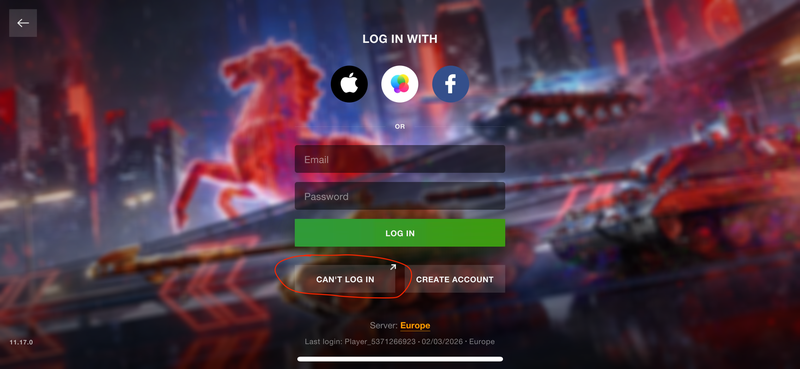
Press "Can't log in" on the "Log in with" screen of the game app.
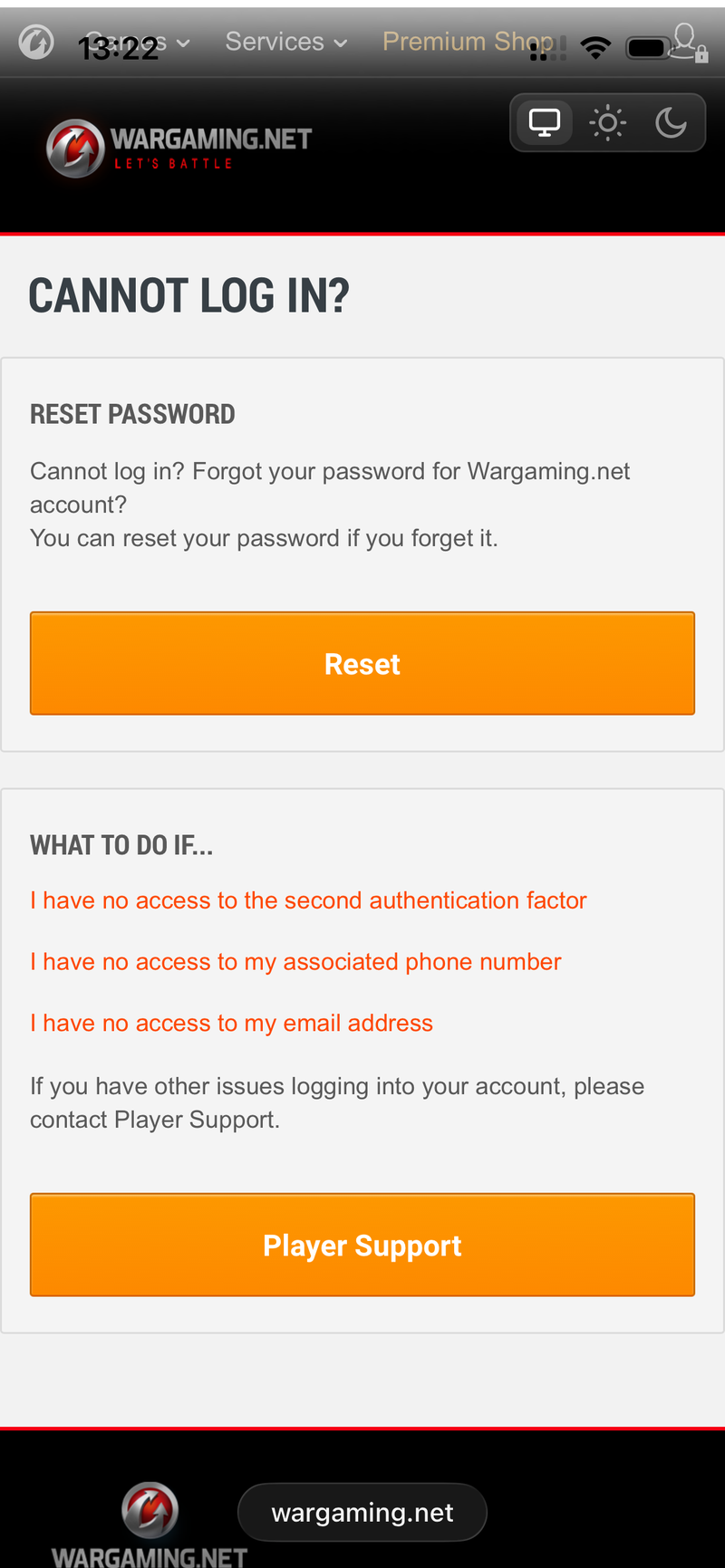
You'll be navigated to the wargaming.net portal, where you can choose "Reset" and then, following the instructions, reset your password.
Login with Facebook doesn't work
If your attempts to sign in using Facebook end in an unexpected way (e.g., you see a blank page, Facebook registration form, etc.) we suggest linking your Account to the Wargaming.net ID system as explained here.
I want to sign in with another Facebook profile
If you've already used one of your Facebook profiles for logging in to the game and now you want to use another one, please follow the instructions below.
General approach
Step 1
- If you have another WoT Blitz account and this account has login options other than Facebook linked to it (e.g., Wargaming.net ID, Google, etc.), log in with this account.
- If you don't have any other WoT Blitz accounts, then re-install the game app.
Step 2
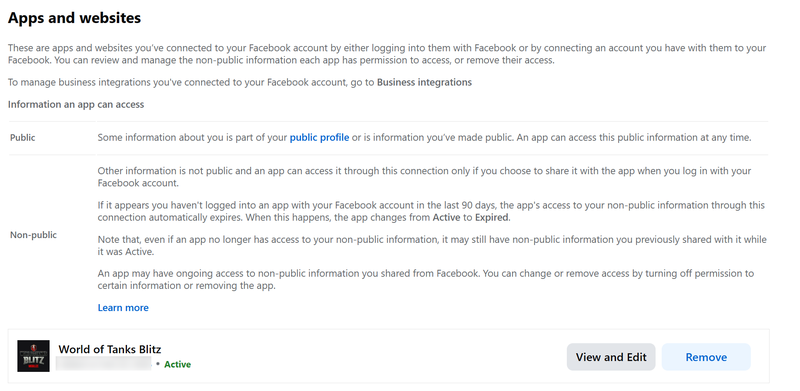
In your Facebook profile (e.g., in the web browser) navigate to Settings & Privacy -> Settings -> Apps and Websites and remove permission for the WoT Blitz application.
Step 3
Return to the WoT Blitz game app. On the "Log in with" screen, tap the Facebook icon and choose any Facebook account you would like to proceed with.
iOS / Android
Option 1
- Clear cookies for facebook.com in the web browser.
- Log out from your profile in the Facebook mobile application (if you have one).
- Return to the WoT Blitz game app. On the "Log in with" screen, tap the Facebook icon and choose any Facebook account you would like to proceed with.
Option 2
- In your Facebook profile (e.g., in the web browser) navigate to Settings & Privacy -> Settings -> Apps and Websites and remove permission for the WoT Blitz application.
- Return to the WoT Blitz game app. On the "Log in with" screen, tap the Facebook icon and choose any Facebook account you would like to proceed with.
MacOS
- In your Facebook profile (e.g., in the web browser) navigate to Settings & Privacy -> Settings -> Apps and Websites and remove permission for the WoT Blitz application.
- Return to the WoT Blitz game app. On the "Log in with" screen, tap the Facebook icon and choose any Facebook account you would like to proceed with.
Couldn't solve your issue?
Contact Player Support.