There is a vehicle comparison tool in-game which allows you to do the following:
- Compare up to 20 tanks by different characteristics
- Check how the tank parameters will change after installing a module, or getting a perk for your crew
- Calculate your vehicle parameters without access to the exact configuration
How to Compare Vehicles
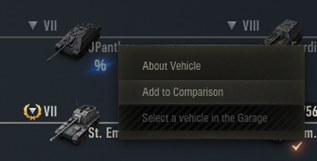
Go to your Tech Tree – each tank icon can be right-clicked and then added to the comparison list. You do not have to have the vehicle researched to add it to the list.
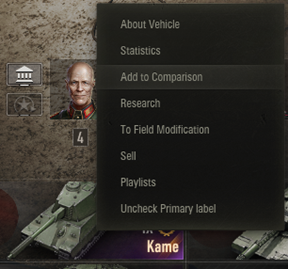
You can use your vehicle carousel for this as well. Right-click on any tank and choose “Add to Comparison”. This can also be done in the “About Vehicle” tab – check the “Scales” button in the upper-left corner.
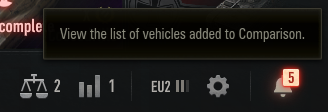
In the lower-right corner, select the “Scales” button. An indicator near it will show the number of tanks added for comparison.
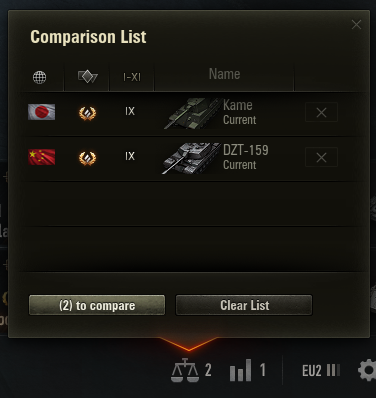
After that, click “to compare”. Or you can clear the list.
The Vehicle Comparison tab will appear. Note that the parameters are listed in groups for your convenience. You can hide or show the group you are interested in (In the screenshot, the Firepower group is hidden, and the Survivability group is shown). The best parameters in the chosen batch of vehicles are highlighted in green.
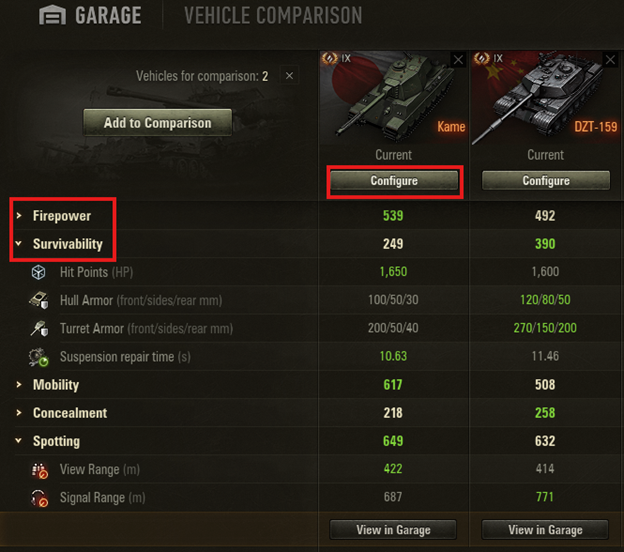
You can further choose to configure any of the tanks in the comparison list. If the tank you added to the comparison list is in the garage, it will be added in its current configuration. You can add several copies of the tank to compare different configurations.
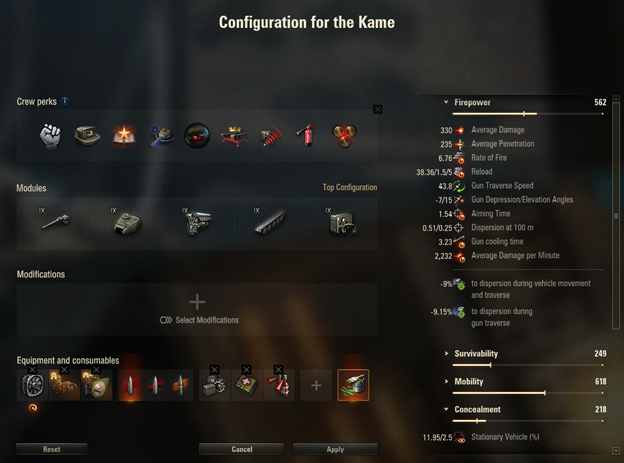
You can add perks to the crew, any equipment or consumable, and choose the shell you want to compare.